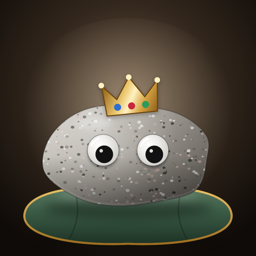
Good Rock
Adopt a rock. Give it a name. It will never need feeding, walking or cleaning up after. It will simply be there for you.
Contact · FAQ · Privacy Policy
How to Use
- Pick your rock. Choose one of six rocks at the Rock Shelter and give it a name. You'll get official adoption papers you can share.
- Pat it. Tap your rock to give it a pat. Tilt your phone and watch its googly eyes roll around.
- Teach it tricks. Sit, Stay, Play Dead and more. Your rock is excellent at most of them. Roll Over takes patience.
- Dress it up. Open Style for hats, a mustache, glasses or a bow.
- Take it for a walk. Tap Walk and your rock rides along on your Lock Screen and in the Dynamic Island until you tap Home.
- Read its diary. Your rock writes one entry every day. Most days are quiet. Some days are big.
Contact
Found a bug or have a question? Email us. We usually reply within a few days.
FAQ
Can my rock die or run away?
No. Your rock needs no care at all. You can ignore it for a year and it will be exactly where you left it.
How do I add the widget?
Touch and hold an empty spot on your Home Screen or Lock Screen, tap Edit, then Add Widget, and search for Good Rock.
The walk doesn't show on my Lock Screen.
Open the Settings app, go to Good Rock, and make sure Live Activities is turned on. Then start a new walk. A walk ends by itself after about 8 hours.
Did my rock really move?
Sometimes it moves 1 mm. It's all in the diary. We don't know how it does it either.
Can I rename my rock?
Yes. Tap the gear icon on the main screen and change the name.
Can I adopt a different rock?
Yes. In Settings, tap “Return to the shelter”, then pick a new rock. The old rock's diary and stats are removed.
I can't hear the knock sound.
Check that Sounds is on in the app's Settings and that your phone is not set to silent.
Privacy Policy
Last updated: September 2026
Good Rock (“the App”) is provided by an independent developer (“we”). This policy explains how the App handles information.
Information We Collect
We do not collect any personal information. The App has no accounts, no sign-in, no ads, no analytics and no tracking, and it does not connect to the internet.
Your rock
Your rock's name, outfit and stats are stored only on your device, so the App and its widgets can show them.
Motion
While the App is open, it reads your device's tilt so the googly eyes can roll. This happens only on your device and is never stored or sent anywhere.
Purchase
The App is purchased through the App Store. Apple processes the payment, and we do not receive your name, email address or payment information. Please see
Apple’s Privacy Policy for details.
Sharing
If you share your adoption papers, the image goes only where you choose to send it.
Children’s Privacy
We do not collect, store or share any personal information from anyone, including children under 13.
Deleting Your Data
Deleting the App removes your rock and all of its data from your device.
Changes to This Policy
We may update this policy when the App changes. Updates will be posted on this page with a new “Last updated” date.
Questions about this policy? Email us at tajimaru1209@gmail.com.